When Doubling the Math Costs Nothing: Overhead-Bound Inference in Robot Models
I switched a robot model from 16-bit to 32-bit and it didn’t get slower. That one result explains why small robot models don’t speed up on bigger GPUs, why lower precision can hurt, and why the same GPU ran 1.65× slower on different machines.
Why small robot models don’t get faster on bigger GPUs, and what I learned timing one.
All numbers here come from one model (SmolVLA), one GPU type (NVIDIA L40S), measured with warm-up and GPU synchronization. They are early results from my research harness, not final paper numbers. Times are p50: the median time per action.
1. A result that shouldn’t happen
I was benchmarking SmolVLA, a small robot model, and ran a test I expected to be boring.
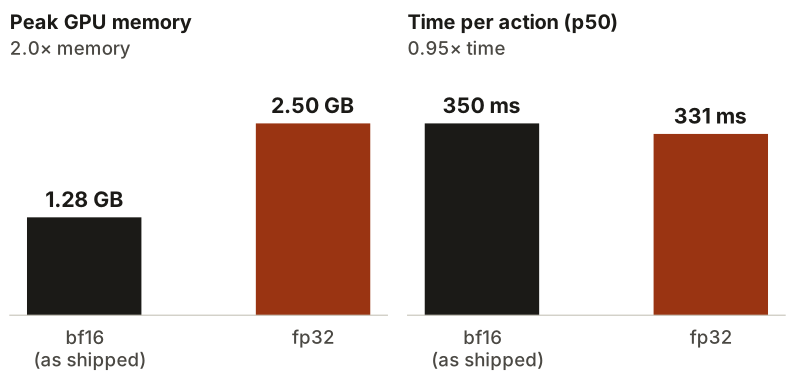
The model ships in bf16, a 16-bit number format. I switched it to fp32, which uses 32 bits for every number. Twice the memory, and much heavier math on the GPU. It should have been clearly slower.
It wasn’t.
| Format | p50 | Memory |
|---|---|---|
| bf16 (as shipped) | 350 ms | 1.28 GB |
| fp32 | 331 ms | 2.50 GB |
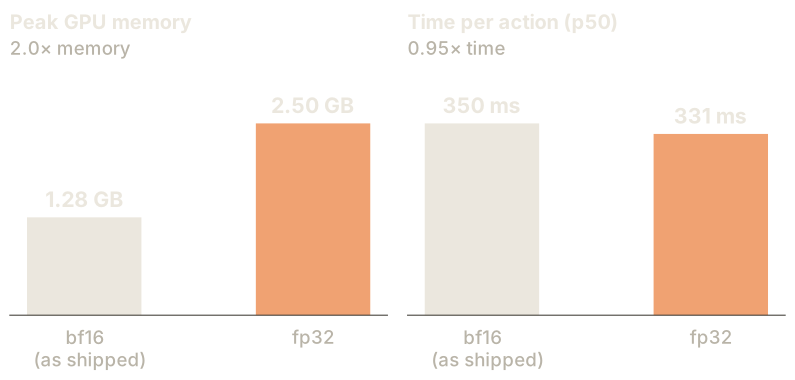
Memory doubled, as expected. Time didn’t. If anything, fp32 was a little faster.
That only makes sense if the math was never the slow part. The GPU was spending most of each action waiting for something else. This post is about what it was waiting for.
2. What happens when a model runs
Think of a restaurant kitchen.
- The GPU is the chef. Extremely fast at cooking.
- The CPU is the waiter. It reads the recipe (your Python code), and carries orders to the chef one at a time.
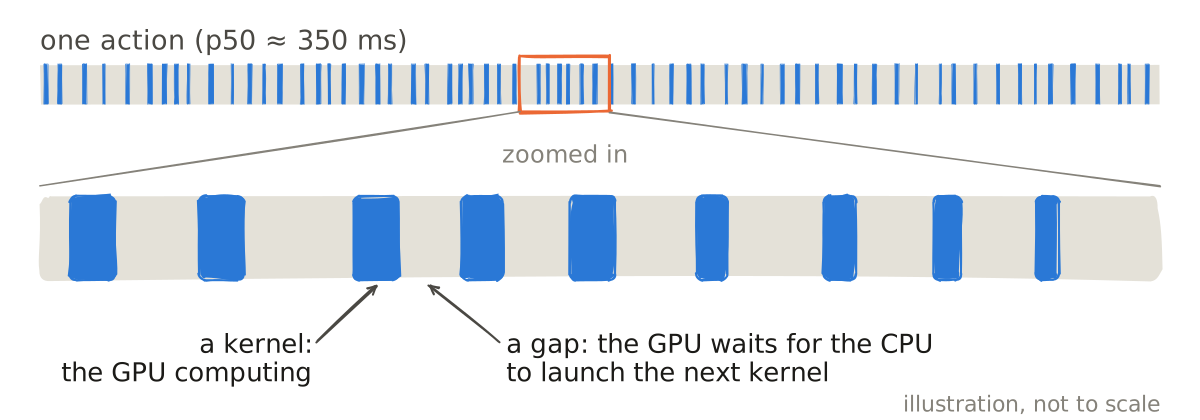
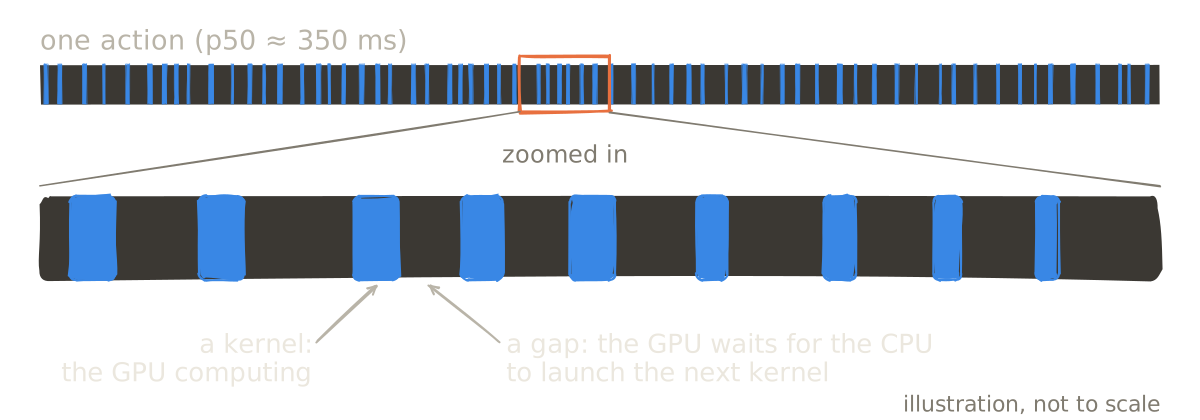
Every operation in a model, a matrix multiply, an addition, a normalization, is one order. The CPU prepares it and “launches” it on the GPU. The GPU cooks it, then waits for the next order.
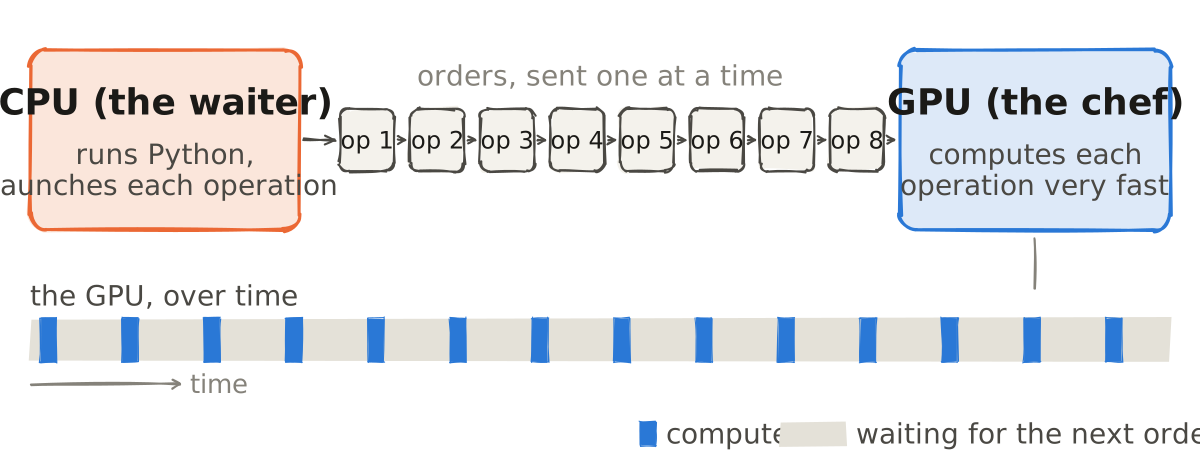
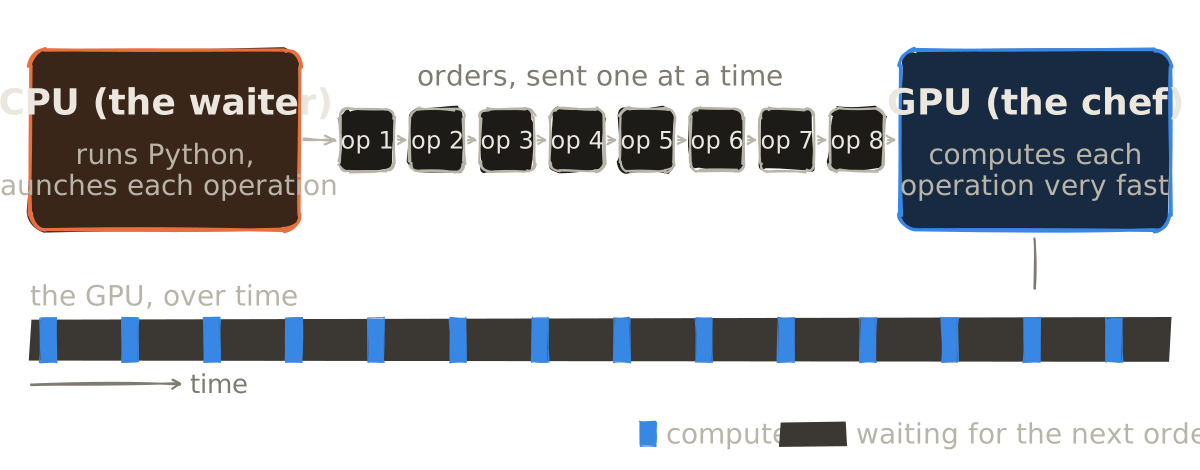
If the dishes are big, the chef is always busy and the waiter doesn’t matter. If the dishes are tiny, the chef finishes each one instantly and stands around waiting for the waiter.
3. Three ways a model can be slow
| Type | Limited by | In the kitchen | Example |
|---|---|---|---|
| Compute-bound | The GPU’s math | The chef is busy cooking | Training, large batches |
| Memory-bound | Moving data in and out of GPU memory | The chef waits for ingredients from the fridge | LLM text generation |
| Overhead-bound | The CPU launching work | The chef waits for the waiter | Small models at batch size 1 |
Most advice about making models faster assumes the first two. Lower precision, for example, helps when math or memory is the bottleneck. It does nothing for the third.
4. Why robot models are especially overhead-bound
Robot models live in the worst corner for overhead:
- One robot, one input at a time. There’s no batch of 64 requests to keep the GPU busy. Every decision is batch size 1.
- Many small operations. A model like SmolVLA runs a vision encoder, a language model and an action expert. Each layer is a string of small GPU operations.
- The same work, repeated. SmolVLA builds each action by refining a random guess over about 10 steps (flow matching). Each step runs the action part of the model again, and launches its operations again.
So each action is a long chain of tiny orders. The chef cooks for a moment, then waits, over and over.
5. The evidence: tricks that should help, but don’t
If the model is overhead-bound, then tricks that only cut math or memory shouldn’t help. Here’s what I measured, all on the same machine:
| Technique | What it does | p50 | vs. original |
|---|---|---|---|
| Original (bf16) | As shipped | 350 ms | 1.00× |
| fp32 | Twice the precision | 331 ms | about the same |
| fp16 autocast | Math in 16-bit | 397 ms | slower |
| bf16 autocast | Math in bf16 | 360 ms | no faster |
| int8 weights | Weights in 8-bit integers | 468 ms | slower |
Lower precision didn’t help, because the model was already 16-bit and math wasn’t the bottleneck. Autocast adds a little conversion work at every step, which is exactly the kind of overhead that hurts here.
int8 is the most counterintuitive. It cut memory almost in half (1.28 GB to 0.70 GB) but made each action about 34% slower. Without a compiler, the weights get unpacked back to a usable format at every step: more small operations, more overhead.
This is the main lesson: “use lower precision” is advice for compute-bound and memory-bound models. Robot models don’t always follow those rules.
6. The trick that works: fewer, bigger orders
If the problem is too many tiny orders, the fix is to send fewer, bigger ones.
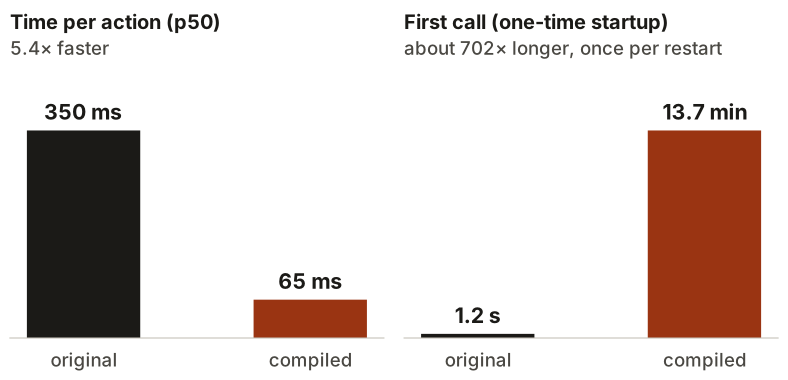
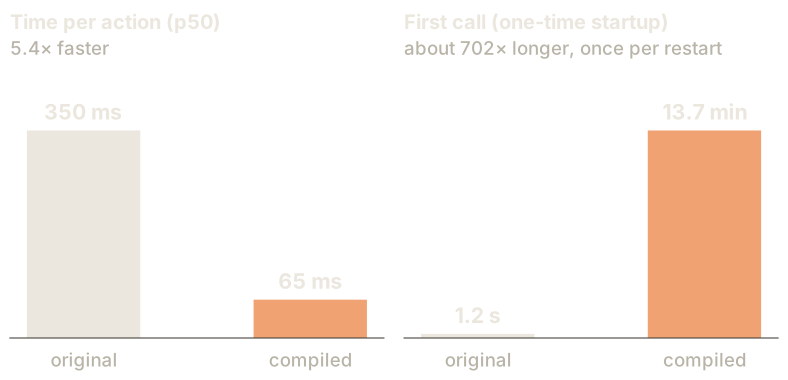
That’s what torch.compile does. It traces the model, fuses many small operations into larger GPU kernels, and cuts most of the Python work out of the loop. The math stays the same. The waiter just makes far fewer trips.
torch.compile.| Original | Compiled | |
|---|---|---|
| p50 | 350 ms | 65 ms (5.4× faster) |
| First call | 1.2 s | 13.7 min |
That’s the strongest evidence for the whole story. A technique that doesn’t change the math at all made the model 5.4× faster. If math had been the bottleneck, that couldn’t happen.
But the cost moved somewhere else: the first call now takes almost 14 minutes while the model compiles. For a benchmark, nobody cares. For a robot that restarts after a software update, that’s a real cost.
The next step I’m testing is CUDA graphs: record the whole sequence of GPU operations once, then replay it with a single launch. Same idea, taken further.
7. Where the CPU comes in
If the CPU sets the pace, then the CPU and the machine around the GPU matter as much as the GPU itself: how fast Python runs, how quickly the driver hands work to the GPU, and what else is competing for the CPU.
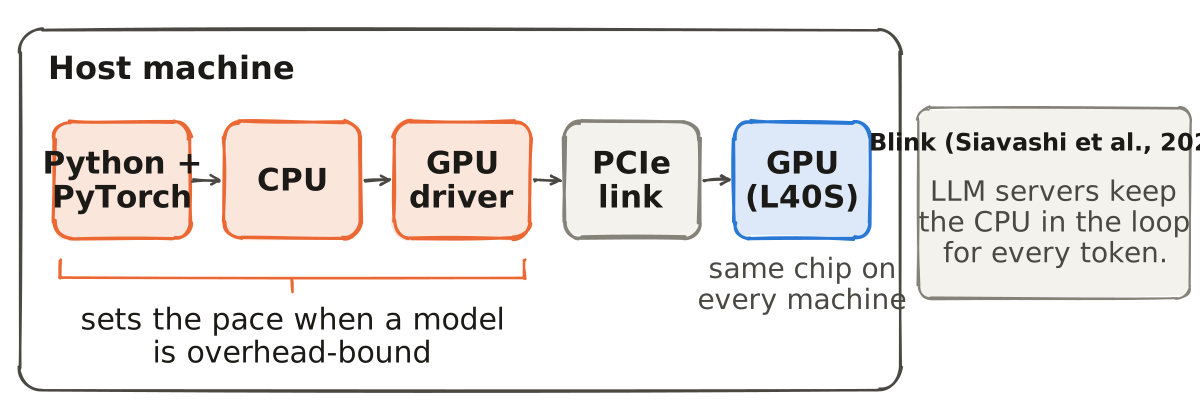
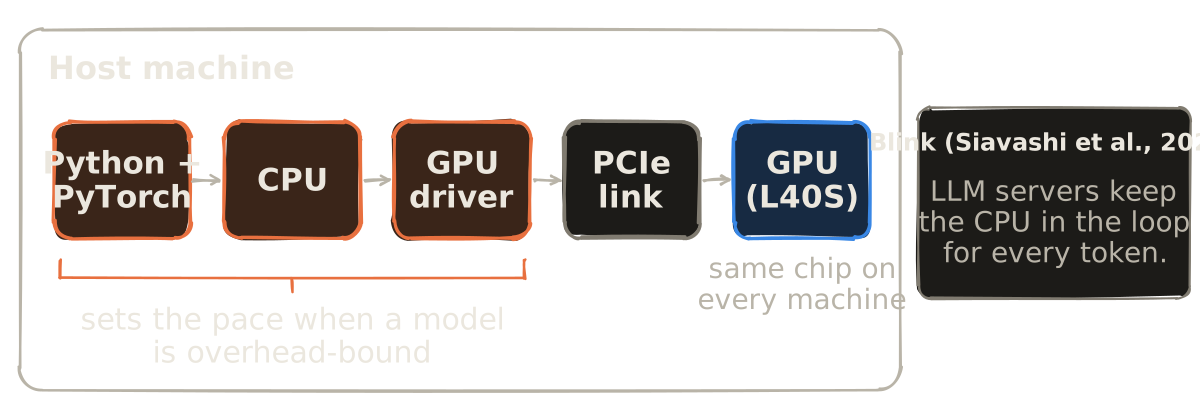
This isn’t only a robot problem. A recent paper from KTH, Blink (Siavashi et al., 2026), shows that large language model servers keep the host CPU in the loop for every token generated. When the authors ran another CPU-heavy program on the same machine as vLLM serving Llama-3 8B on an H100, throughput fell about 3.8× and worst-case (P99) time-to-first-token rose by up to 139×. Their fix goes further than a compiler: they take the CPU out of the loop entirely, using a SmartNIC and a persistent GPU kernel.
Big models, small models: when the CPU is on the critical path, the GPU waits.
8. The mistake I made
Here’s where I fooled myself.
Early on, I gave my cloud container more CPU (8 cores instead of the default) and the model got 38% faster. I wrote it down as a finding.
| Run | CPU | p50 |
|---|---|---|
| First | default | 573 ms |
| Second | 8 cores | 354 ms |
| Runs 3–5 | 8 cores | 357, 575, 560 ms |
Same setting, wildly different results. The CPU setting had nothing to do with it. Those runs had simply landed on different physical machines, and I hadn’t recorded which.
So I started recording everything about every machine.
9. Same GPU, different machine, 1.65× apart
I ran the same model, same code, same settings, on 14 cloud machines, all with an L40S GPU.
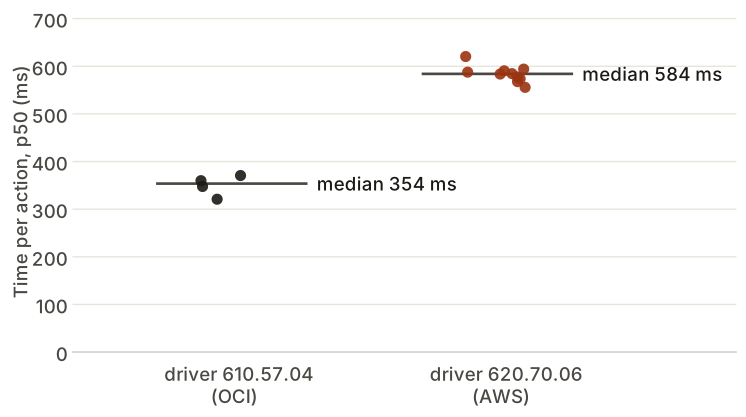
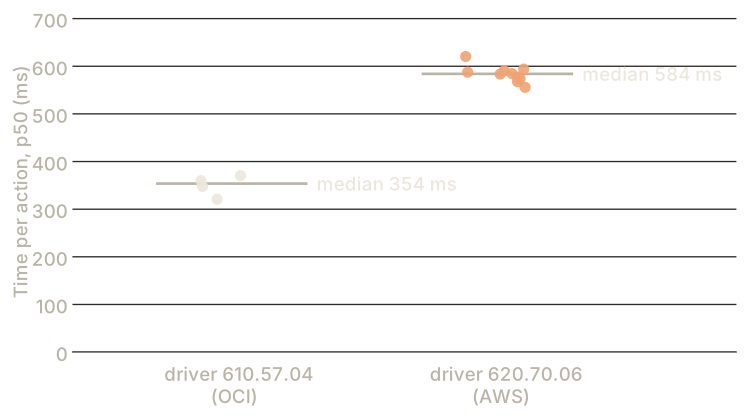
They split cleanly into two groups:
| Group | Driver | Cloud | Hosts | p50 |
|---|---|---|---|---|
| Fast | 610.57.04 | OCI (+1 unlabeled) | 4 | 321–371 ms |
| Slow | 620.70.06 | AWS | 10 | 556–620 ms |
About 1.65× apart, with no exceptions.
I also ran three quick checks on every machine. The GPU’s raw math speed was the same everywhere. Plain Python speed was the same. The cost of launching a tiny GPU operation was about the same. None of them explain the gap.
The honest status: the split follows the driver version and the cloud provider, and on my setup those always changed together, so I can’t yet say which one is the cause. What I can say is that “tested on an L40S” isn’t a complete description of where a model ran.
10. What this means if you deploy robot models
- Measure where the time goes before optimizing. If the GPU is idle most of the time, faster math won’t help.
- Don’t assume LLM advice applies. Lower precision and quantization can make a small, batch-1 model slower.
- Look at overhead first. Compilation and CUDA graphs attack the real bottleneck.
- Count the startup cost. A 5× faster model with a 14-minute first call is a trade-off, not a free win.
- Record the whole machine, not just the GPU name: driver, provider, CPU, software versions.
- Compare only within the same machine. Otherwise you’re comparing machines, not techniques.
11. What I’m testing next
Speed is only half the question. Every one of these tricks changes the model’s numbers slightly, and in a robot, small differences can add up over an episode until a task fails.
So the next question is: when a robot model gets faster, does it still do its job? I’m building paired tests for that: the original and the faster version run the exact same situations, side by side, and I count where one succeeds and the other fails. Then more GPUs.
The code and results live here: speedtrap on GitHub.
If you’ve ever had a speed-up quietly break something in a deployed model, I’d love to hear how you caught it.